Quoth Beta launches May 25 — sign up free, no credit card required.

00Days00Hours00Minutes00SecondsSign Up Free →

The Complete Feature Index

Every feature of Quoth, in one place. (Sort of...)

Quoth is a complete home for running tabletop campaigns — from quiet preparation to the live table. This guide catalogs each capability the way it appears (when I took a screenshot). Browse the index, or filter to find what you need.

31
Features
8
Categories
15
Signature
The complete feature indexEverything Quoth does, from quiet prep to the live table. Browse the list, or filter to what you need.

GM Experience

13 features
GM Experience · Running the Game Signature

Run a Live Session

Open any session in Run mode — the same page you planned, flipped to a live two-pane table view. One screen holds everything you reach for while you play; a Plan ↔ Run toggle moves between preparing and running. It is not a separate tool.

  • Step through your planned scenes as the session unfolds
  • Push codex entries, notes, and scene read-aloud to players in the moment
  • Flip through index cards for monsters and player characters
  • See every map linked to the adventure or to a location
  • Build, manage, and look up custom tables during play
  • Keep private notes beside the shared Session Log
Run mode — the session page turned into a live GM screen.
GM Experience · Preparation

Game Planning

Prepare a session before the table gathers. Lay scenes out in order and attach the maps, characters, and codex entries each one needs, so it is all in place when play begins — then flip the same page to Run.

  • Arrange and reorder scenes into a running order
  • Attach maps, characters, locations, and items to each scene
  • Write read-aloud text and private notes ahead of time
Planning a session before the table gathers.
GM Experience · Preparation

Get to Planning a Game in Minutes

Watch a full game come together — world, campaign, adventure, session, and a first scene — in about three minutes. Quick Setup scaffolds the world, campaign, and adventure in one step; the walkthrough shows the quick path the rest of the way to a session you can run.

Watch: world to first scene in about three minutes.
Quick Setup — world, campaign, and adventure in one step.
GM Experience · At the Table Signature

Scenes & Read-Aloud

Write each scene with its read-aloud text and a scene image, then send both to the table the moment the party walks in — to the whole party or one player.

  • A scene image and read-aloud text on every scene
  • Push the scene to players when the moment arrives
  • Link the codex entries that belong to the scene
A scene with its read-aloud text and image, ready to push.
GM Experience · Preparation Signature

Custom GM Tables

Build tables tuned to your game and any system: initiative and combat trackers, reference charts, and roll-lookup tables for weather, encounters, chaos magic — whatever you keep at hand.

  • Combat trackers that keep live HP and status through the session
  • Reference charts for rules, conditions, and lore
  • Roll-lookup tables — you roll the die, Quoth reads the result
Watch: building custom tables.
Wild Magic

Roll a d8 when a spell slips its leash.

Wild Magic
Enter your roll to see the result.
A roll-lookup table beside a conditions reference table.
A combat tracker holds live HP and status through the session.
GM Experience · Maps · Live Table Signature

Project Maps to the Table

Send any map to a shared display so players can see it, while you decide what is shown and when. Open it in its own tab and drop it onto a screen at the table.

  • Project world, location, and battle maps to a shared screen
  • Control reveal timing from your own screen
  • Pan and zoom the projected view
A map projected to the table, grid welded to the artwork.
GM Experience · Maps · Live Table Signature

The Map Grid Tool

Weld a measured square grid to any uploaded map so distance and movement read correctly at the table — whatever program the map was made in. The grid is saved with the map.

  • Overlay a square grid on any map image
  • Adjust square size and offset to match the artwork
  • The grid persists with the map for next time
Aligning a square grid to the artwork.
GM Experience · At the Table Signature

Push to Players

Send information to players the moment it matters — to the whole party or to one named player. Codex entries, scenes, notes, and real-world messages all arrive in real time, and players can dismiss what they have seen.

  • Push to the whole party or a single player by name
  • Codex entries, scenes, quick notes, and real-world messages
  • Arrives live; a pushed codex entry stays in that player’s codex
Choose the whole party or one player by name.
GM Experience · At the Table Signature

Pass a Note

Players can pass a quiet, one-way note to the GM — or to another player at the table. Whoever it's for is notified instantly, anywhere they're logged in. The GM can file any note straight into their session notes, and tapping a note jumps right to its session from almost anywhere in Quoth.

A player passes a quiet note to the GM — or to another player.
GM Experience · At the Table

Reference Tools

Keep the details you need within reach during play. Index cards for the people in the scene and your custom tables are a tab away on the session screen.

  • Index cards for monsters and player characters
  • NPC cards you curate ahead of time
  • Custom tables you can look up on the spot
Index cards for the player characters at the table.
GM Experience · The Home Page

All Your Worlds in One Place

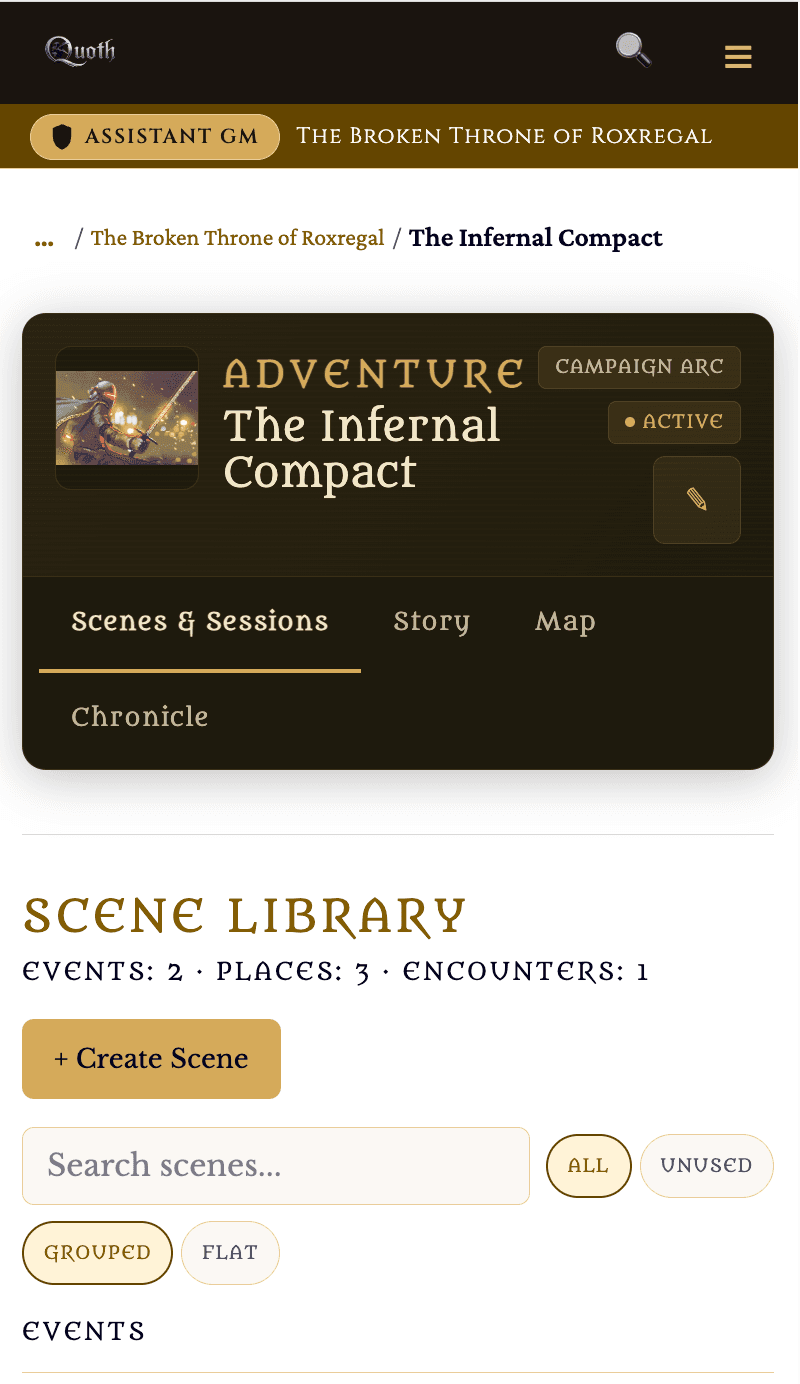
Everything nests the way a campaign already does: a World holds Campaigns, a campaign holds Adventures, an adventure holds Sessions, and a session hold scenes.The GM Home Page displays cards for each world and lists all the campaigns in that world so that you can click right into the campaign you are working on. On the right, you'll see upcoming sessions.

World → Campaign → Adventure → Session → Scene.
GM Experience · Worldbuilding

Per-World Fonts

Give each world its own voice. Choose a curated font pairing for a world and it carries through that world’s pages, so a grim dungeon and a high-courtly intrigue don’t have to read the same.

A font pairing chosen per world.

Player Experience

5 features
Player Experience

Player Landing Page

When players land on the campaign page, they see a personalized view of their character and recent activity. They can see every game they are a player in, and any upcoming sessions. GMs can switch to player view to see all of the gmaes where theyact as a player. The player view is limited to only what the GM has shared with them.Players can keep their own private notes, write on the shared session log, and can see all the notifications sent to them by the GM.

A player’s home for the campaign.
Player Experience

Player Notes

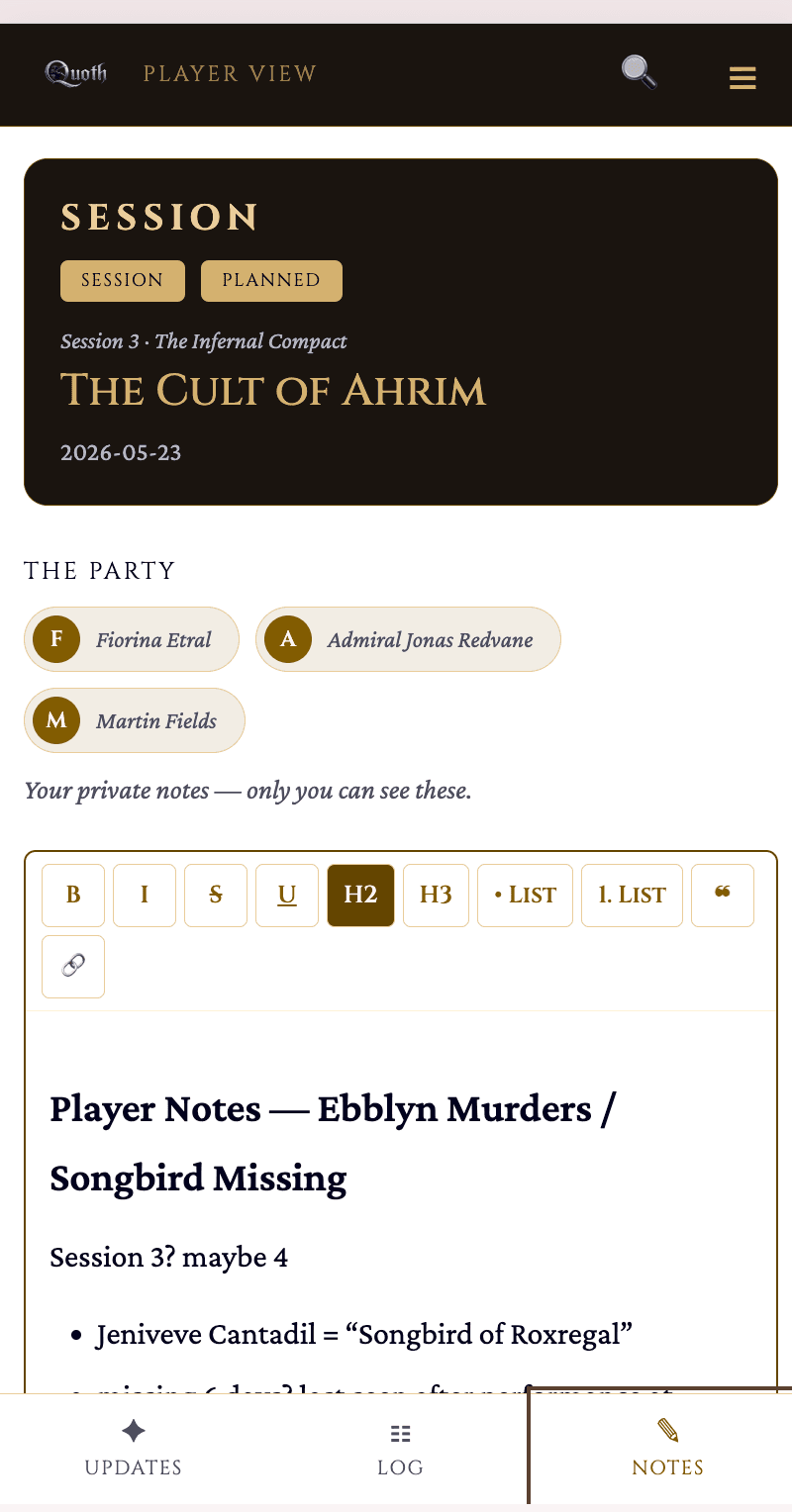
Players keep their own notes inside Quoth, private to them and tied to each session. What the GM pushes sits alongside the notes they take for themselves. Notes save instantly and work in mobile as well as desktop, so they’re there when players need them and never get lost.

A player’s own notes, private to them.
Player notes on a phone, mid-session.
The same notes from a player’s phone.
Player Experience Signature

The Shared Session Log

One record of the session the whole table can read. Whoever holds the quill — the GM or any player — writes it live, one hand at a time, and everyone sees the same account from their own page.

  • The GM or any player can take the quill (the Scribe role)
  • One writer at a time, updating live for the table
  • Rich text with links to codex entries
The shared log — written by whoever holds the quill.
Player Experience

The Player Character Sheet

A player’s character has a view built for the person who plays it, kept apart from the monster and NPC cards the GM works with — and the owning player can edit it.

The player’s own character — theirs to edit.
Player Experience Signature

Session Chronicle

When a session is marked complete it becomes a chronicle — a read view of what happened, for both GM and players: the party, the scenes that were shared, the codex entries that appeared, and the session log (which the Scribe can still amend).

The chronicle of a completed session.

The World Codex

7 features
The World Codex Signature

The World Codex

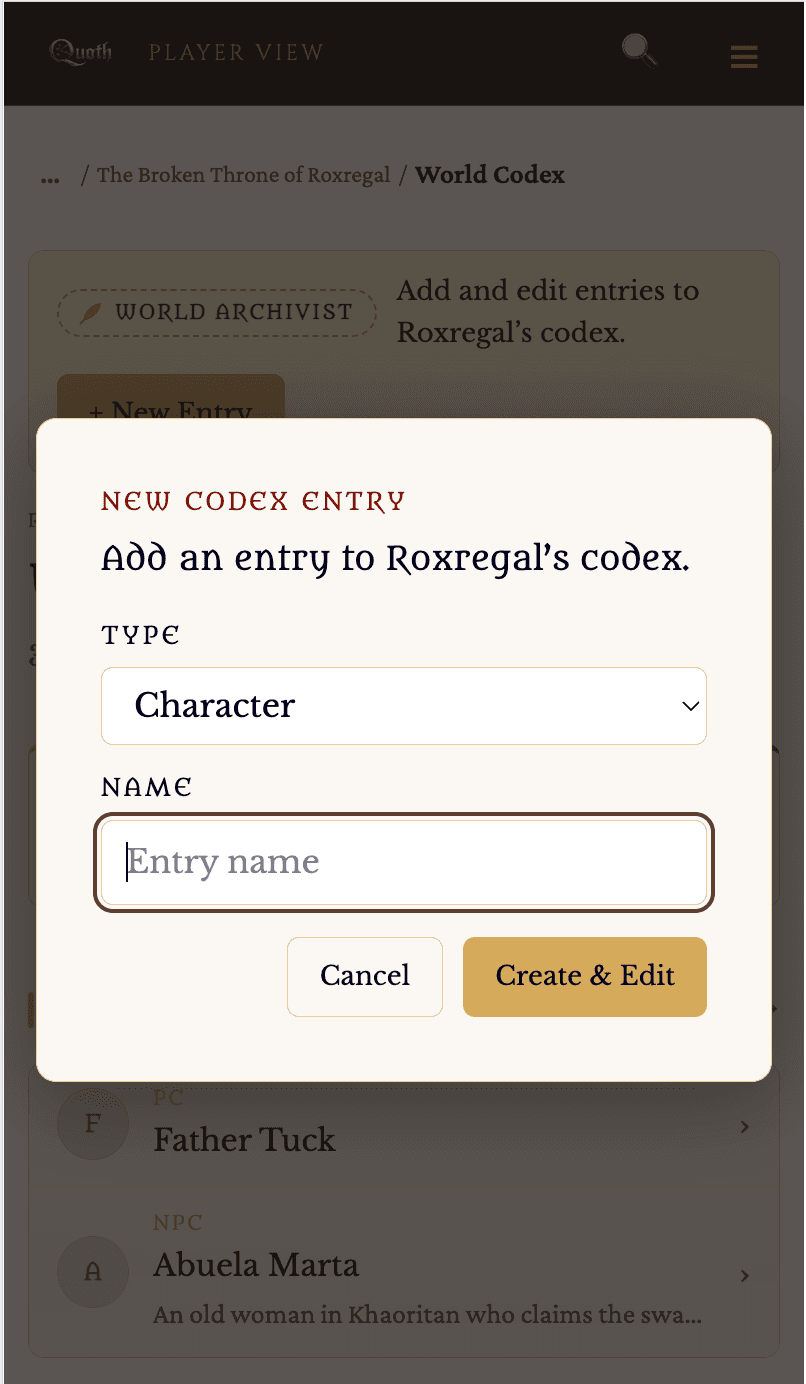
A connected encyclopedia of your world. Characters, locations, items, factions, and lore each get their own entries, and those entries link to one another so the world holds together as it grows.

  • One home for every piece of world information
  • Entries link to the related people, places, and things
  • Grows with the campaign without losing its structure
The codex — every entry connected to the others.
The World Codex · At the Table

Codex ↔ Session Linking

Link codex entries to the scenes and sessions they appear in, and each entry shows where it has turned up. The people, places, and things in play are always one tap from the session screen.

Codex entries linked to the session.
The World Codex · Per-Player Signature

What Each Player Knows

A pushed codex entry doesn’t just flash by — it lands in that player’s own codex and stays there. Each player builds up exactly the knowledge you’ve given them, and no more.

Per-player codex knowledgeScreenshot coming soon
The World Codex · Visibility Signature

You Control What Players See

Every entry moves freely between GM-only, shared with players, and public — any direction, any time. Your GM secrets are stripped out of what players and the public can load; they never travel with the entry.

Visibility controlsScreenshot coming soon
The World Codex · Sharing Signature

Public Codex Pages

Make an entry public and it gets its own shareable, search-engine-indexable page — the only part of your world that ever leaves the table. Everything else stays private to you and your players.

A public entry gets its own shareable page.
One toggle makes an entry public — no login needed to read it.
Copy the public link and share it anywhere.
The World Codex · Migration

Import from Scabard

Bringing a world over from Scabard? Connect your account and import its entries into your codex — characters, places, items, groups, and events, one entry at a time, mapped to Quoth’s codex types.

Connect your Scabard account with a temporary key.
Review each entry before it’s added to your codex.
Imported entries arrive tagged “Scabard Import.”
The World Codex · Images

Credit for Artists, Honesty About AI

Every image can carry an attribution line for its artist and a flag marking it AI-generated — so credit is given where it’s due and the table always knows what it’s looking at.

Attribution for the artist; an honest flag for AI.

Characters

2 features
Characters

Characters

Every person in the world — player characters, allies, and adversaries — kept as codex entries with portraits, summaries, stats, and links to the places and factions they belong to.

Character entriesScreenshot coming soon
Characters Signature

Manage Custom Character Stats

Define the stats your game uses and track them on each character. Quoth doesn’t assume a rule set — the values you keep are the ones you choose, stored exactly as you enter them and never computed.

  • Add the stats your system uses
  • Track resources like health on each character
  • Works the same for player characters and NPCs
Watch: setting up custom character stats.
Custom stat blocks — your system’s numbers, stored as you enter them.

Locations

1 feature
Locations

Locations & Location Maps

Places in the world as codex entries — regions, cities, districts, and rooms — each with its description, its own map, and links to the characters and events tied to it. Open a location in a session and its map is already there.

A location with its own map attached.

Items

1 feature
Items

Items

Objects, treasures, and artifacts kept as codex entries — ready to hand to players or reveal in a scene — with links to the characters and places they relate to.

Item entriesScreenshot coming soon

Factions

1 feature
Factions

Factions

Groups, guilds, courts, and cults as codex entries, with the characters who belong to them and the places they hold, so the politics of the world stay clear.

A faction, its members, and its holdings.

History & Lore

1 feature
History & Lore

History & Lore

The background of the world — its timeline, legends, and secrets — kept as codex entries you can reveal to players a piece at a time.

Timeline & loreScreenshot coming soon

Quoth Feature Guide — an evolving index. New capabilities are added as they ship.

Start at the table

Bring your campaign into Quoth.

Everything here is built for the way you actually run a game: quiet prep, then a live table your players can see. Start a world and try it with your group.

Free while Quoth is in beta — no credit card required.

See you at the table.